
Krita is a powerful, open-source digital painting software designed for artists, illustrators, and concept designers. With an intuitive interface, extensive brush customization, and industry-level features, Krita is a top choice for professionals and hobbyists alike. Whether you’re creating detailed illustrations, comics, or concept art, Krita offers the tools you need—completely free of charge.
Read more: Krita
TupiTube is a free, open-source 2D animation software designed for beginners, students, and educators who want to explore animation in an intuitive way. With a user-friendly interface and simple tools, TupiTube makes animation accessible to young creators, hobbyists, and classrooms. Whether you’re sketching frame-by-frame animations or using tweening for smoother motion, TupiTube provides an easy entry point into the world of animation.
Read more: TupiTube
Poser is a 3D computer graphics program optimized for the modeling, rendering, and animation of human figures. Since its inception in 1995, Poser has been a go-to tool for digital artists seeking to create lifelike human and animal figures for various applications, including illustration, animation, and web design.
Read more: Poser
Adobe Photoshop is the world’s most powerful and widely-used image editing software, trusted by professionals and creatives across photography, graphic design, digital painting, and more. Whether you’re retouching photos, designing web graphics, or painting concept art, Photoshop delivers unmatched control, depth, and flexibility.
Read more: Adobe Photoshop
Marvelous Designer is a cutting-edge 3D software application tailored for creating, editing, and reusing 3D garments. It revolutionizes the process of digital clothing design by enabling the creation of intricate patterns and realistic fabric simulations, making it a preferred choice for professionals in fashion, gaming, and film industries.
Read more: Marvelous Designer
Corel Painter Essentials is a streamlined version of Corel’s acclaimed digital painting software, designed specifically for beginners and hobbyists who want to explore digital art with professional-quality tools. With an intuitive interface, realistic brushes, and powerful photo-painting features, Painter Essentials makes it easy to create stunning artwork—whether you’re starting from a blank canvas or transforming photos into masterpieces.
Read more: Corel Painter Essentials
Sketchable is a sleek and intuitive digital sketchbook designed specifically for Windows devices, especially those with touch and stylus support like the Microsoft Surface. Perfect for sketching, painting, and illustrating, Sketchable offers a minimalist yet powerful interface that lets you focus entirely on your creativity. Whether you’re jotting quick ideas, creating detailed illustrations, or exploring digital painting, Sketchable delivers smooth performance and professional tools in a lightweight, user-friendly package.
Read more: Sketchable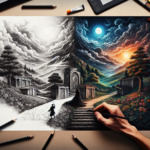
Tayasui Sketches is an elegantly designed, user-friendly drawing and painting app that brings the beauty of traditional art tools to your digital canvas. Known for its sleek interface and realistic brushes, Sketches makes drawing effortless and enjoyable, whether you’re sketching quick ideas, illustrating detailed scenes, or painting with vibrant colors. With support across desktop and mobile platforms, it’s perfect for artists who value both simplicity and power in a portable package.
Read more: Tayasui Sketches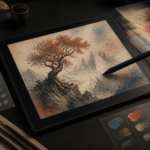
Sketchbook is the go-to digital drawing and painting tool for artists who want the simplicity of traditional drawing combined with the power of digital art. Designed for illustrators, concept artists, and anyone who loves to sketch, this versatile software offers a user-friendly interface with professional-level tools, making it the perfect companion for both quick sketches and intricate artwork.
Read more: Sketchbook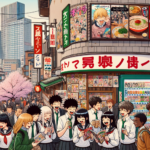
Clip Studio Paint former known as Mange Studio, is the industry-leading software for manga and comic book creation. With powerful inking tools, specialized panel layouts, and a vast library of brushes and effects, it’s the go-to choice for professional illustrators, comic artists, and hobbyists. Whether you’re sketching, inking, coloring, or adding dynamic effects, Manga Studio provides a streamlined workflow tailored specifically for manga and comics.
Read more: Clip Studio PaintAbout Creaxus | Support | Privacy Policy | Legal | Promote your product | Cookies | X Creaxus